AI sprint planning · Standalone web app · Jira-native app

AI Sprint Planning That Works With or Without Jira

Use SprintAI as a standalone sprint planning workspace, or connect it directly into Jira to turn your backlog into smarter, faster, AI-assisted sprint plans.

See how SprintAI works →

Built for delivery leads, Scrum Masters, product managers, and engineering teams who want sprint planning to feel lighter, faster, and smarter.

Explore the live demo board · no sign-in required

Standalone Web AppSprint 12

SPRINT GOAL

Ship checkout hardening without slipping payments work.

Capacity38 / 44 pts

RISKS

  • Two tickets missing acceptance criteria
  • Payment ticket has hidden dependency

AI suggestion

Move MOBI-14 to next sprint — frees 8 pts and keeps PCI scope intact.

SprintAI Brain

Shared sprint memory for web & Jira

Jira AppProject · MOBI

BACKLOG (MOCK)

MOBI-201Apple Pay enrollment8pts
MOBI-204Webhook retries5pts
MOBI-209PCI audit prep13pts

Sprint recommendation

Commit 36–38 pts. MOBI-209 is high spillover risk vs. your last 3 sprints.

Illustrative UI — connect Jira when your team is ready; plan in the web app today.

Platforms

Two ways to use SprintAI

Start lightweight in the web app, or bring SprintAI directly into your Jira workflow.

Web appStandalone workspace

Standalone Web App

Plan sprints, capture team context, generate sprint goals, identify risks, and review delivery confidence without needing Jira setup.

  • Great for early-stage teams, consultants, and lightweight planning
  • Create sprint plans from simple inputs
  • Use AI to assess capacity, risk, and delivery confidence
Open Web App
JiraNative app & integration

Jira-Native App

Connect SprintAI to Jira so it can read backlog context, suggest sprint plans, flag delivery risks, and help teams make better planning decisions inside their existing workflow.

  • Works with Jira backlogs and sprint data
  • Helps select work based on priority, capacity, and risk
  • Turns sprint history into smarter recommendations over time
Join Jira App Waitlist

Features

Everything your planning session needs

Boards, capacity, and AI that reads your backlog — in the SprintAI web app today, with Jira wiring for teams who already live in Jira.

🎨

Free canvas board

Drag tickets anywhere. Five views: Board, List, Timeline, Matrix, and AI Canvas. No rigid workflows enforced.

🧠

Context-aware AI

Describe your project once. The AI remembers your stack, velocity, and goals — and uses them every session.

Smart estimation

AI suggests story points based on ticket descriptions and your team's real historical velocity.

📊

Capacity planning

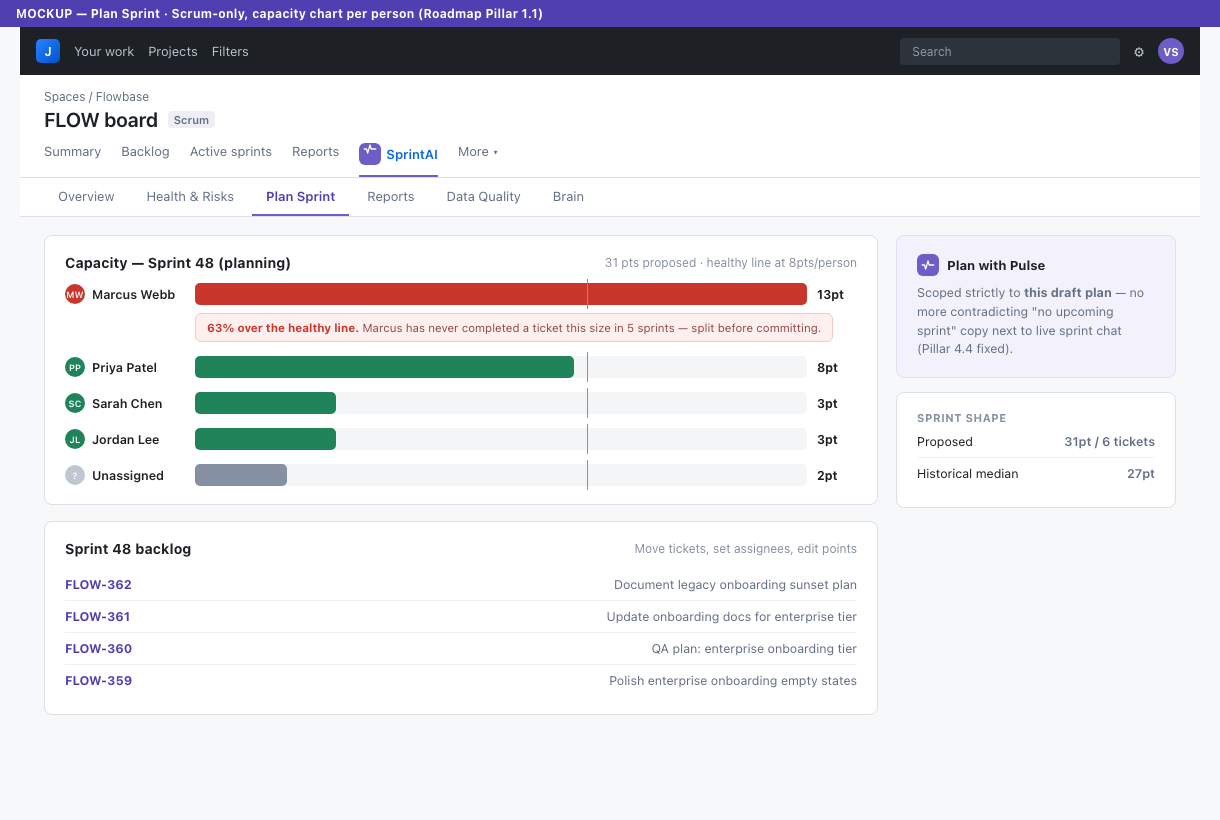
See your sprint capacity in real time. Know when you're overloaded before you commit to the wrong scope.

🔄

Pre-sprint & in-sprint modes

Two distinct modes. Grooming and estimation before the sprint. Live tracking and adjustments during it.

👥

Real-time multiplayer

Your whole team plans together live. See changes and AI suggestions as they happen — no refresh needed.

⚠️

Sprint risk prediction

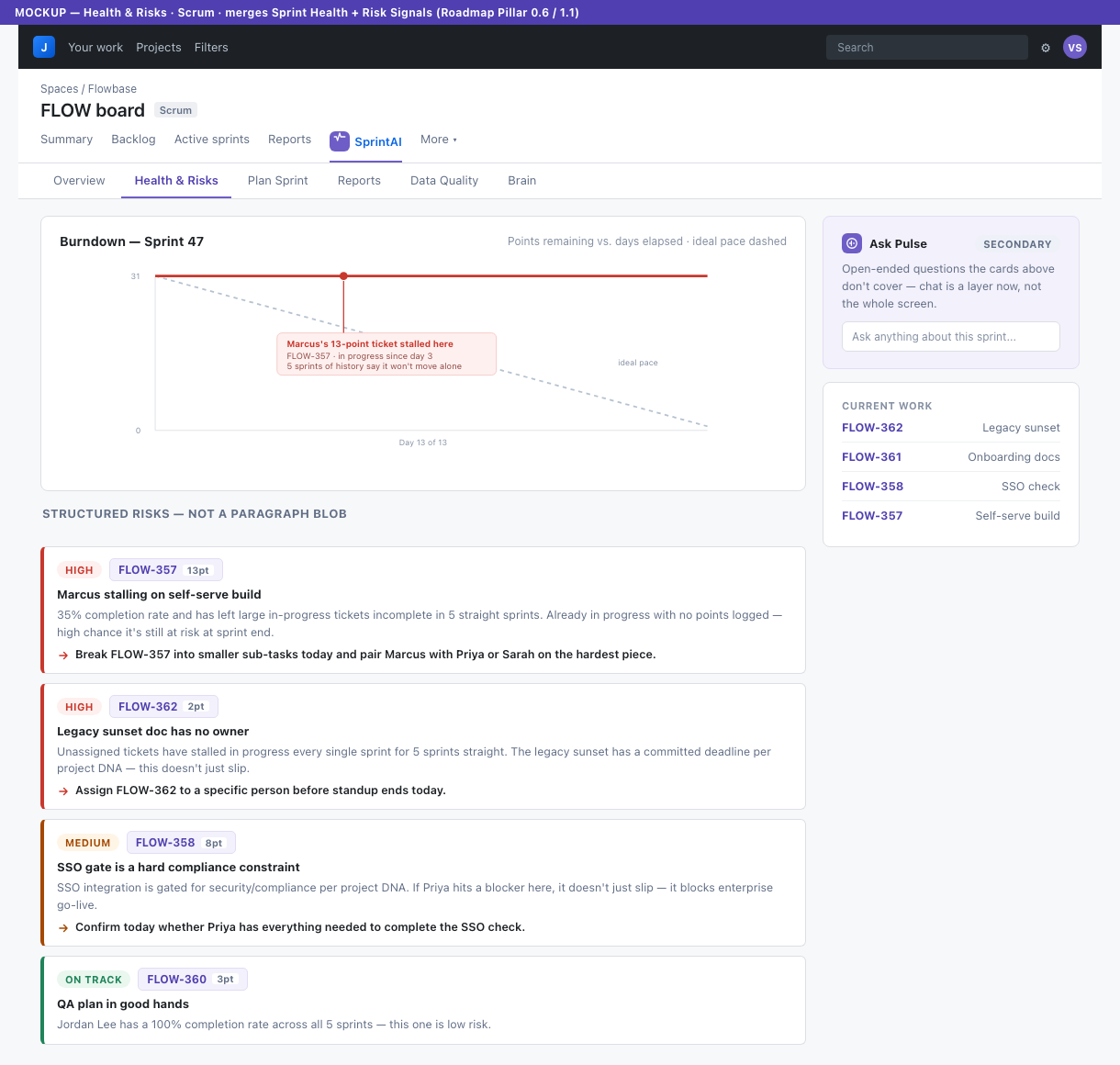
Before the sprint starts, SprintAI scores your risk, predicts completion likelihood, and tells you exactly which tickets will slip and why.

🧠

Brain that learns your team

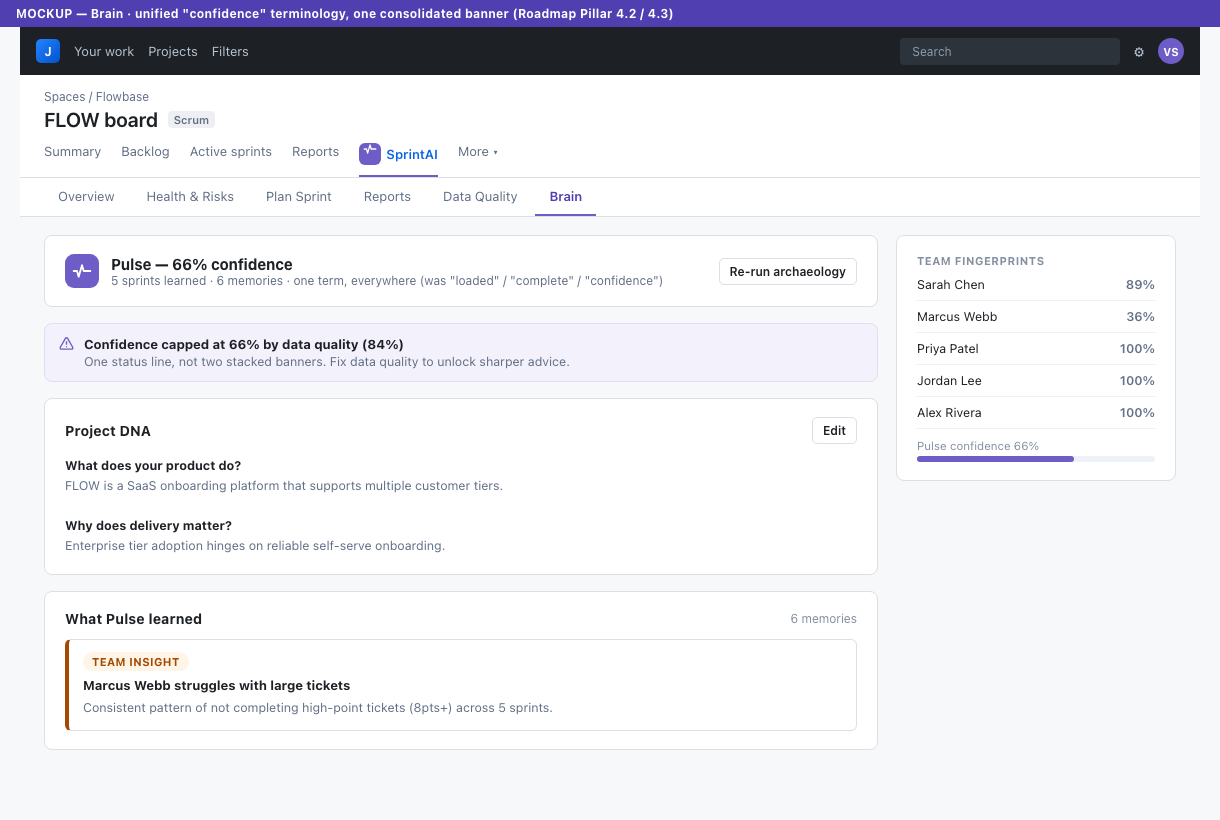
After every sprint, the brain learns your velocity patterns, estimation accuracy, and team strengths. Gets smarter every sprint. Never resets.

SprintAI Brain

The SprintAI Brain gets smarter every sprint

SprintAI does not just generate a one-off sprint plan. It learns from your team's planning patterns, delivery outcomes, blockers, and sprint history — in the web app and when connected to Jira.

SprintAI remembers:

  • Team velocity trends
  • Recurring blockers
  • Estimation patterns
  • Spillover risks
  • Sprint goals and outcomes
  • Delivery confidence over time
  • Capacity constraints
  • What your team usually gets wrong during planning

The more your team uses SprintAI, the more useful its recommendations become. This is what turns SprintAI from a planning tool into a delivery intelligence layer — shared memory whether you start in the browser or in Jira.

Brain snapshot (example)

Velocity + memories + delivery confidence

Velocity trend
38 pts avg
Spillover risk
Medium
Recurring blockers
3 patterns
Delivery confidence
Strong

Example metrics — your Brain fills in from real sprint outcomes, blockers, and goals you capture in SprintAI.

Jira + SprintAI

Why teams use SprintAI alongside Jira

Jira is great at tracking work. SprintAI is built to help teams think through what should happen next.

JJira

  • Tracks tickets and workflows
  • Stores sprint data
  • Shows boards and reports
  • Requires manual interpretation

SprintAI

  • Recommends better sprint plans
  • Learns from previous sprints
  • Flags risk before planning is locked
  • Explains trade-offs in plain English
  • Helps teams plan with confidence

SprintAI does not replace Jira. It adds an AI planning and delivery intelligence layer on top of it — and the same Brain improves recommendations whether you start in the web app or inside Jira.

Outcomes

Built to make sprint planning faster and smarter

Concrete planning support — capacity, spillover risk, and trade-offs — without replacing your issue tracker.

Plan faster

Turn rough backlog inputs into a structured sprint plan in minutes, not hours.

⚠️

Spot risk earlier

Identify overcommitment, unclear work, hidden dependencies, and likely spillover before the sprint starts.

📈

Improve every sprint

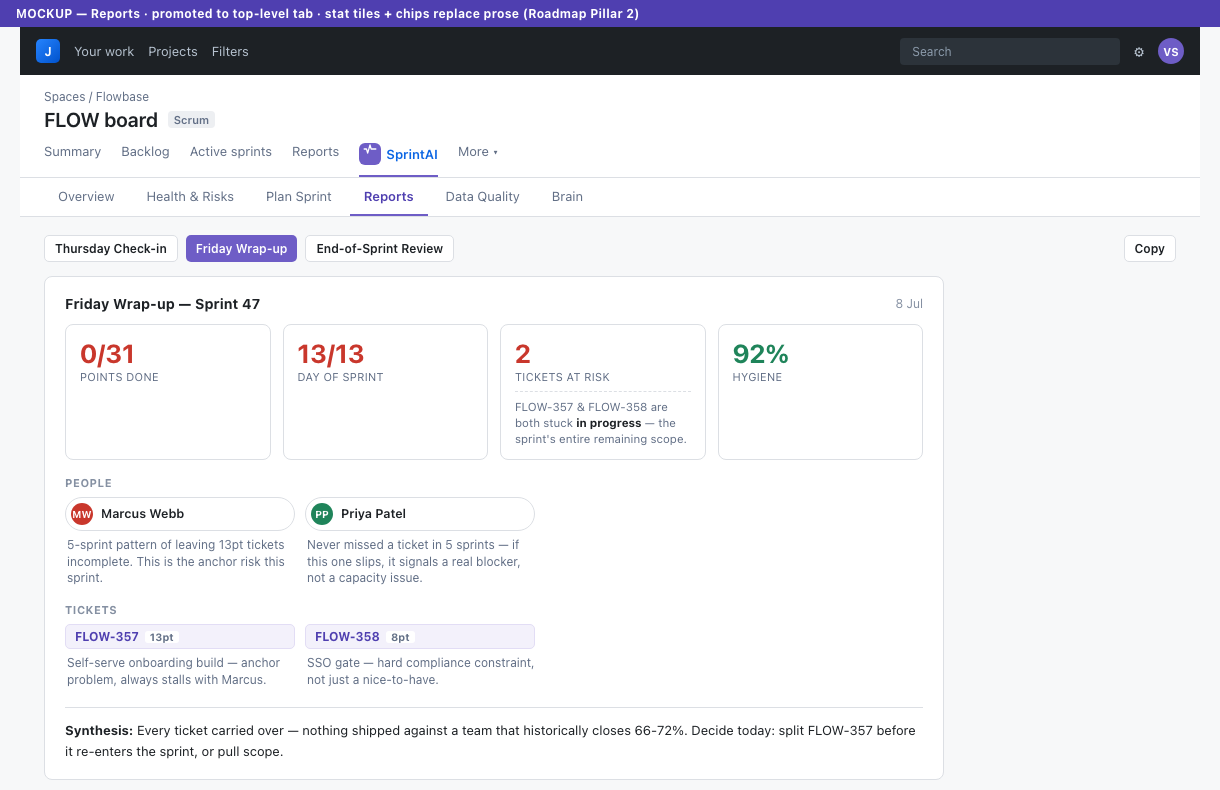
Use sprint history and team memory to make better planning decisions over time.

How it works

Up and running in minutes

Start in the web app in minutes. Connect Jira when you want backlog and sprint data flowing into the same Brain.

1

Capture team context

Describe goals, constraints, and how you plan. SprintAI stores it in the Brain for every future session — web app or Jira.

2

Plan the sprint

Add tickets in SprintAI or connect Jira backlog context. AI helps estimate, balance capacity, and flag spillover risk before you lock scope.

3

Review trade-offs

See plain-English trade-offs on what to cut, defer, or sequence — based on velocity, dependencies, and what actually slipped before.

4

Learn from outcomes

Close the sprint in SprintAI so velocity and learnings feed the Brain — better recommendations next time, with or without Jira connected.

Pricing

Simple, honest pricing

Free to start. Upgrade when your team grows. No surprises.

MonthlyAnnual2 months free

Free

$0

Up to 3 users

100 AI messages / month

  • Kanban sprint board
  • 1 active sprint
  • Basic context store
  • AI usage indicator
  • No multiplayer
  • No sprint history
  • No backlog management
Try the Web App

Solo

$10 / mo

1 user

500 AI messages / month

  • Everything in Free
  • Unlimited sprints
  • Full context store
  • Sprint history & velocity
  • Backlog management
  • No multiplayer
Try the Web App
Most popular

Team

$30 / mo

Up to 10 users

1,500 AI messages / month

  • Everything in Solo
  • Real-time multiplayer
  • Unlimited projects
  • Team velocity tracking
  • AI sprint summaries
  • Jira import
Try the Web App

Growth

$60 / mo

Up to 30 users

5,000 AI messages / month

  • Everything in Team
  • Multiple workspaces
  • Cross-team reporting
  • Priority AI responses
  • Admin controls
  • 30+ users → contact us
Try the Web App

All plans include a real-time AI usage indicator. Resets monthly.

Start in the web app. Bring it into Jira when your team is ready.

SprintAI gives teams a smarter way to plan, whether they are working from a lightweight planning workspace or inside Jira.

Waitlist emails go to the same inbox we use for Marketplace and integration questions — we'll only reach out about the Jira app and onboarding.